v0.2.0Local-first desktop app for macOS, Windows and Linux

Everything you think and build, on your machine.

Notes, search, an IDE and terminal, calendar, tasks and an AI agent — one keyboard-first app. Your notes stay plain Markdown in a folder you choose. No account, no telemetry.

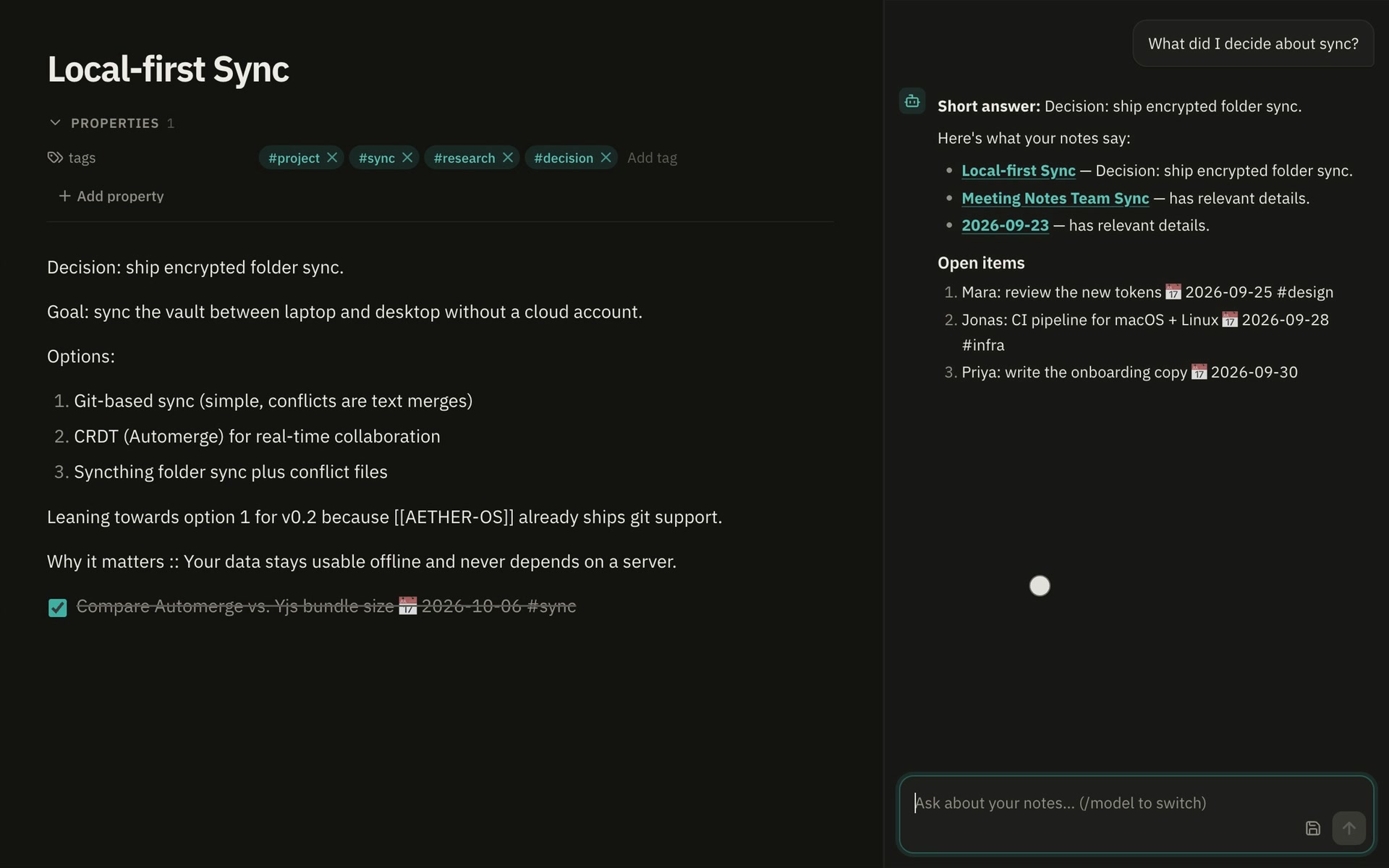
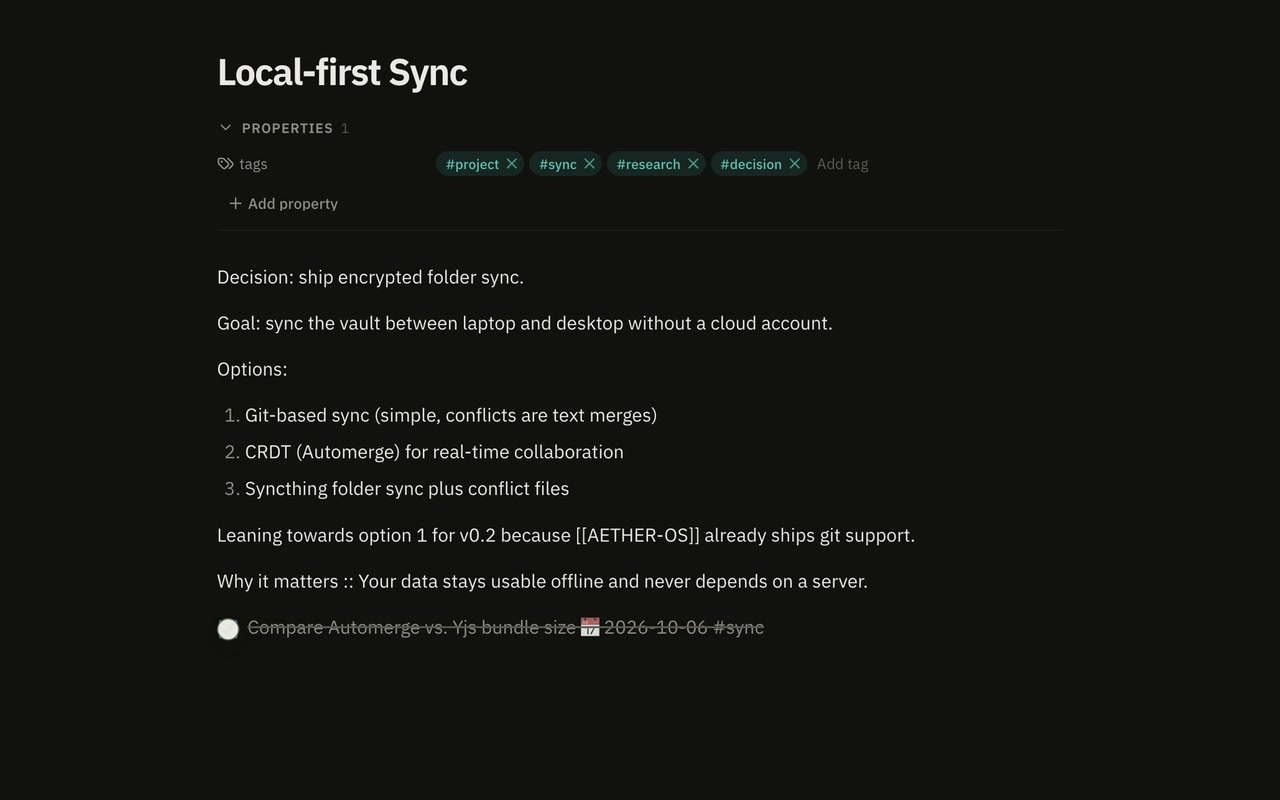
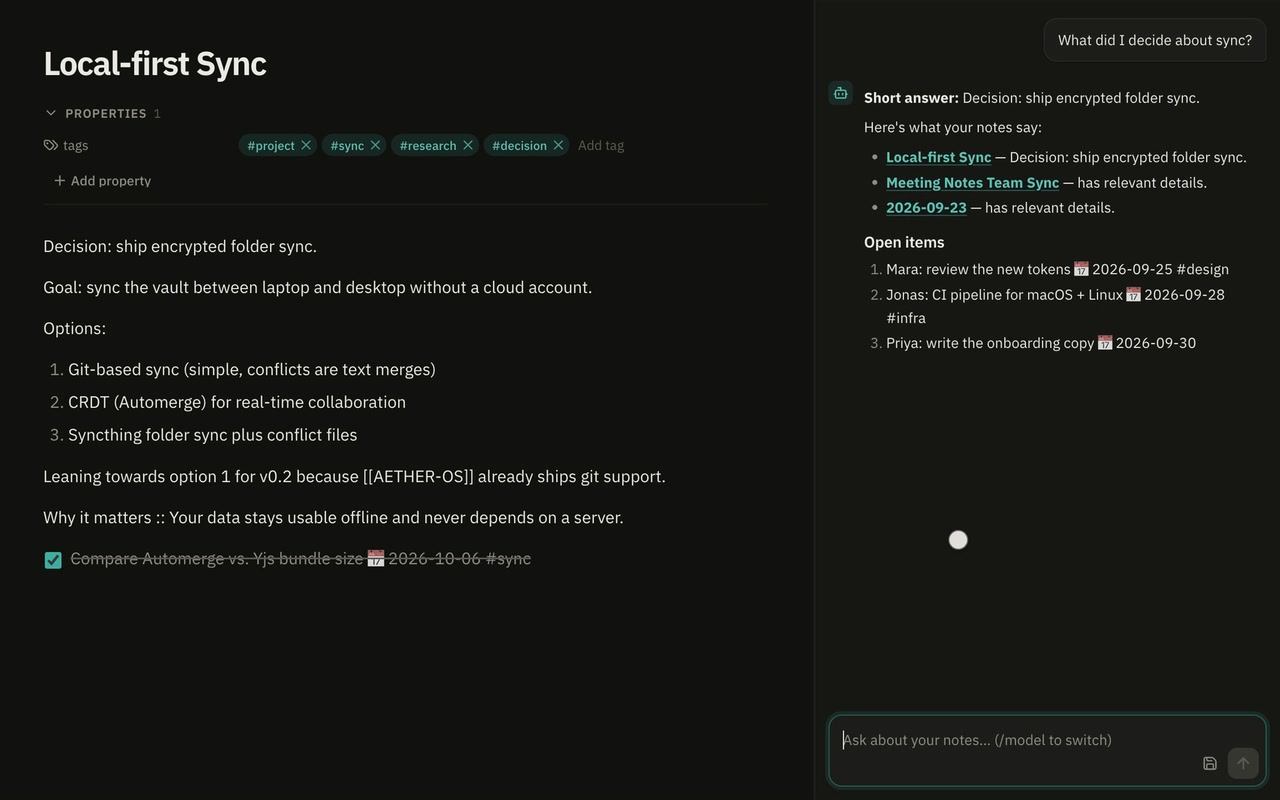
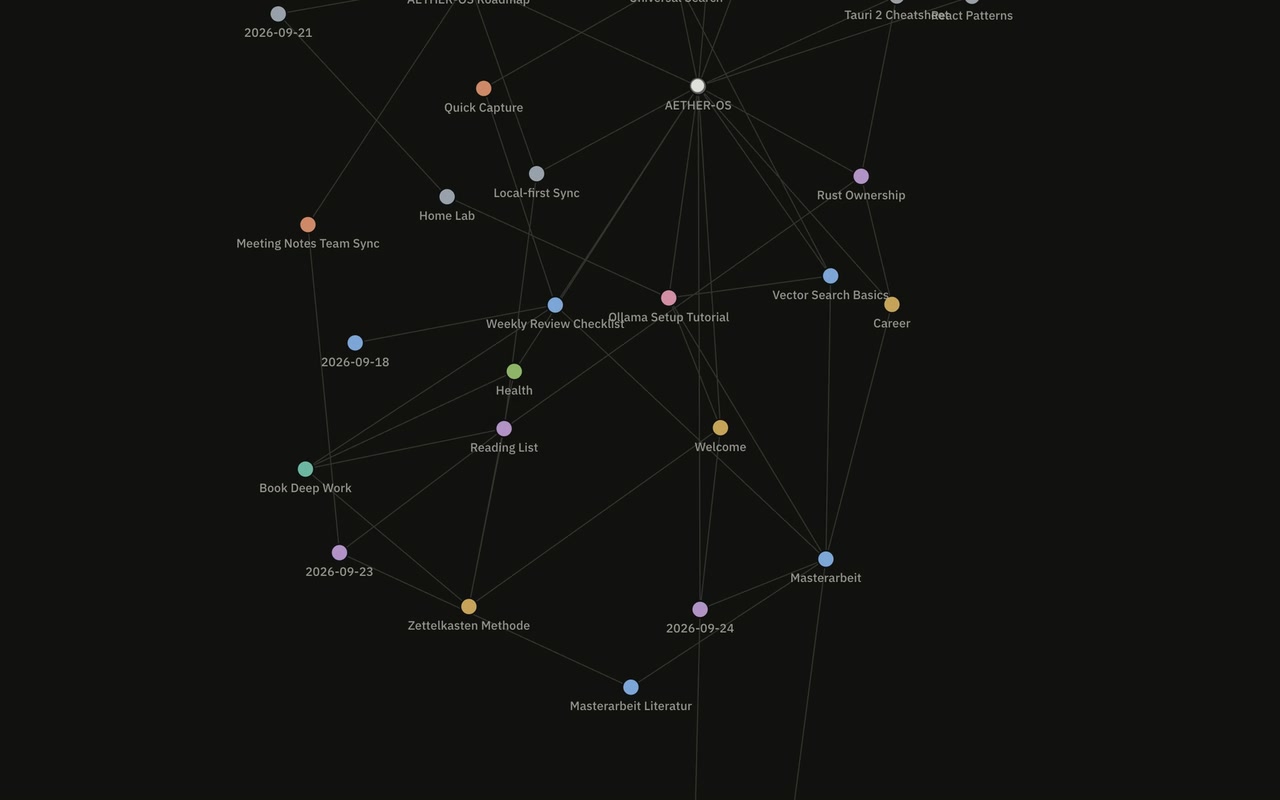
AETHER-OS showing the knowledge graph, the grouped navigation rail and the AI agent answering from the vault
  • Vaultplain .md files in a folder you pick
  • AIOllama on this machine, or OpenRouter if you choose
  • ShellTauri 2 and Rust — not Electron

Trailer

The whole app in 1:24.

Recorded from the app itself — the browser preview with its demo vault. Launcher, notes, agent, graph, tasks, IDE, plugins and themes, no mockups.

Media kit: Trailer (MP4, 11.4 MB) Demo GIF (5.5 MB)

What's inside

Nineteen workspaces, one shortcut away.

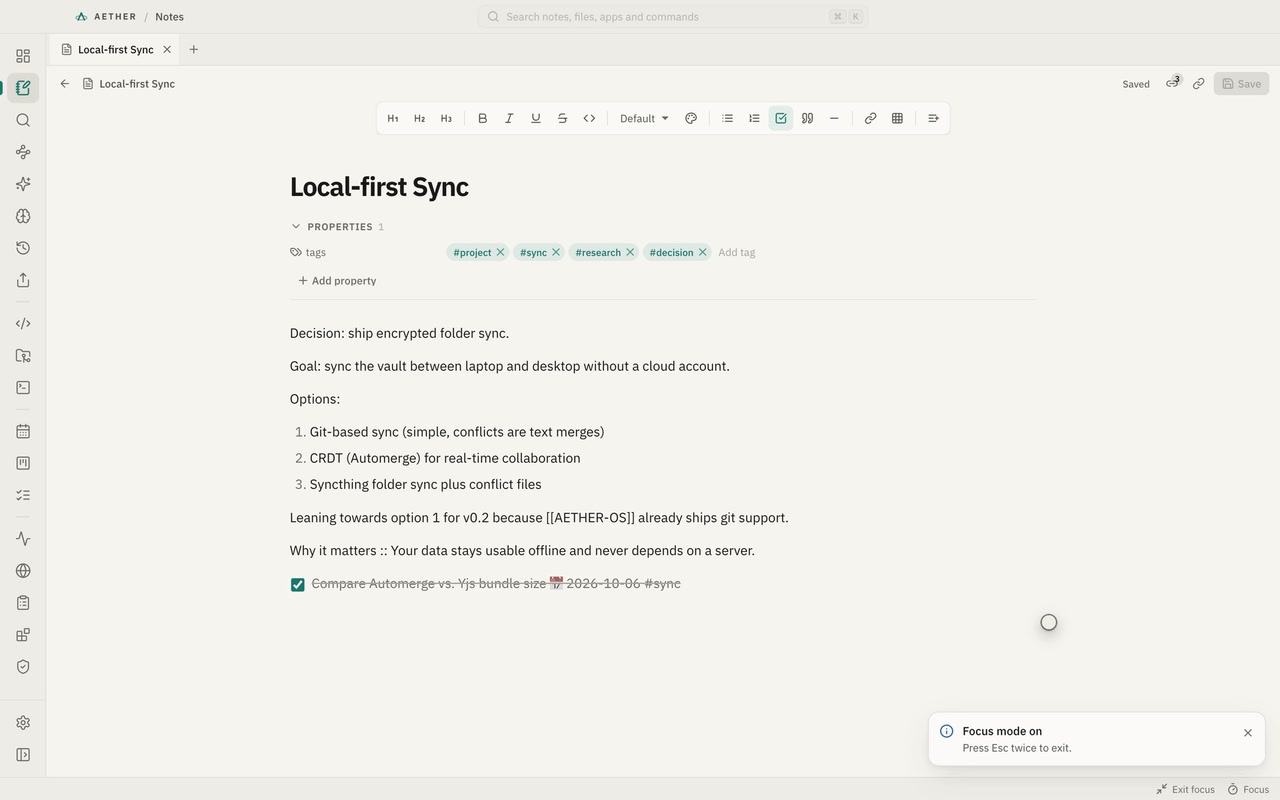
Notes like Obsidian, a launcher like Raycast, the VS Code editor, a real terminal, boards, a calendar and an agent that has read your vault — designed as one product instead of eight.

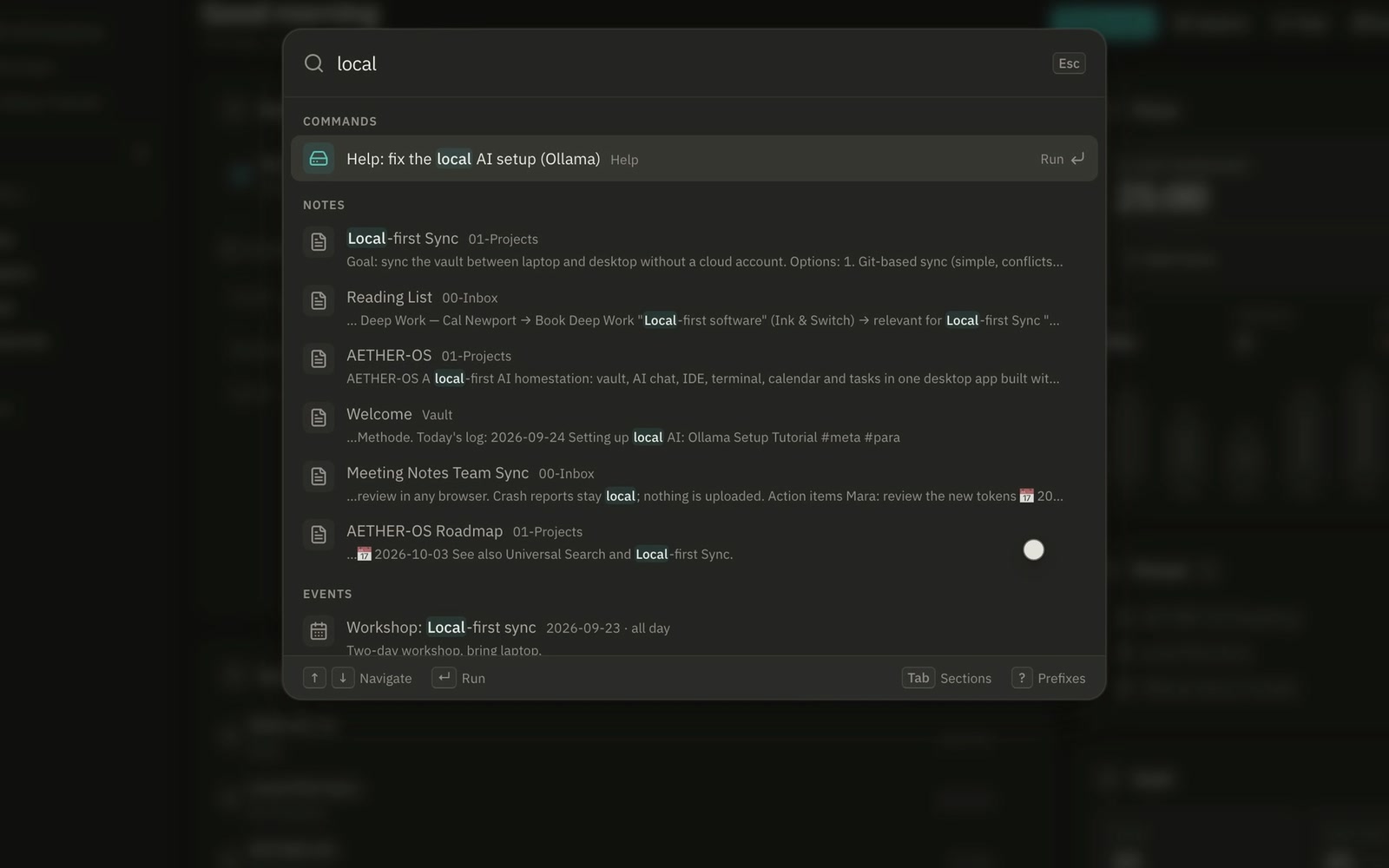
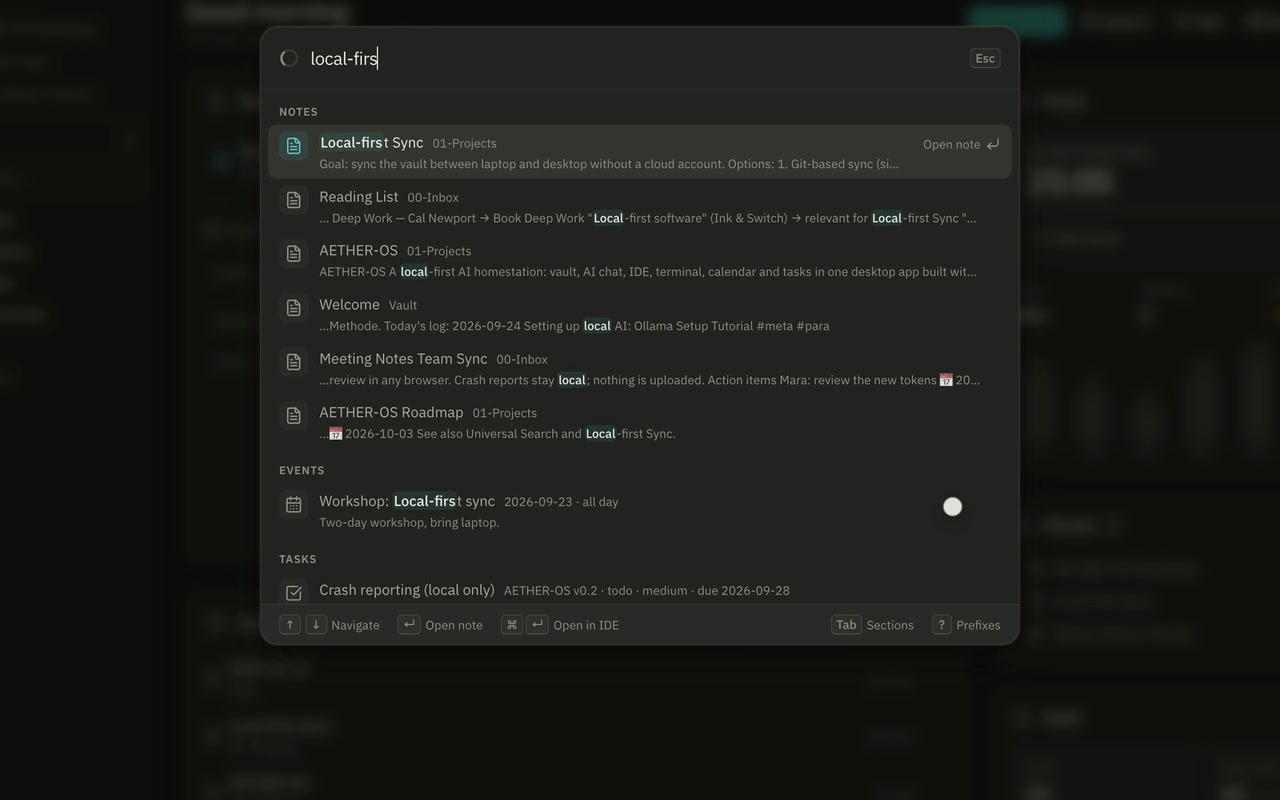
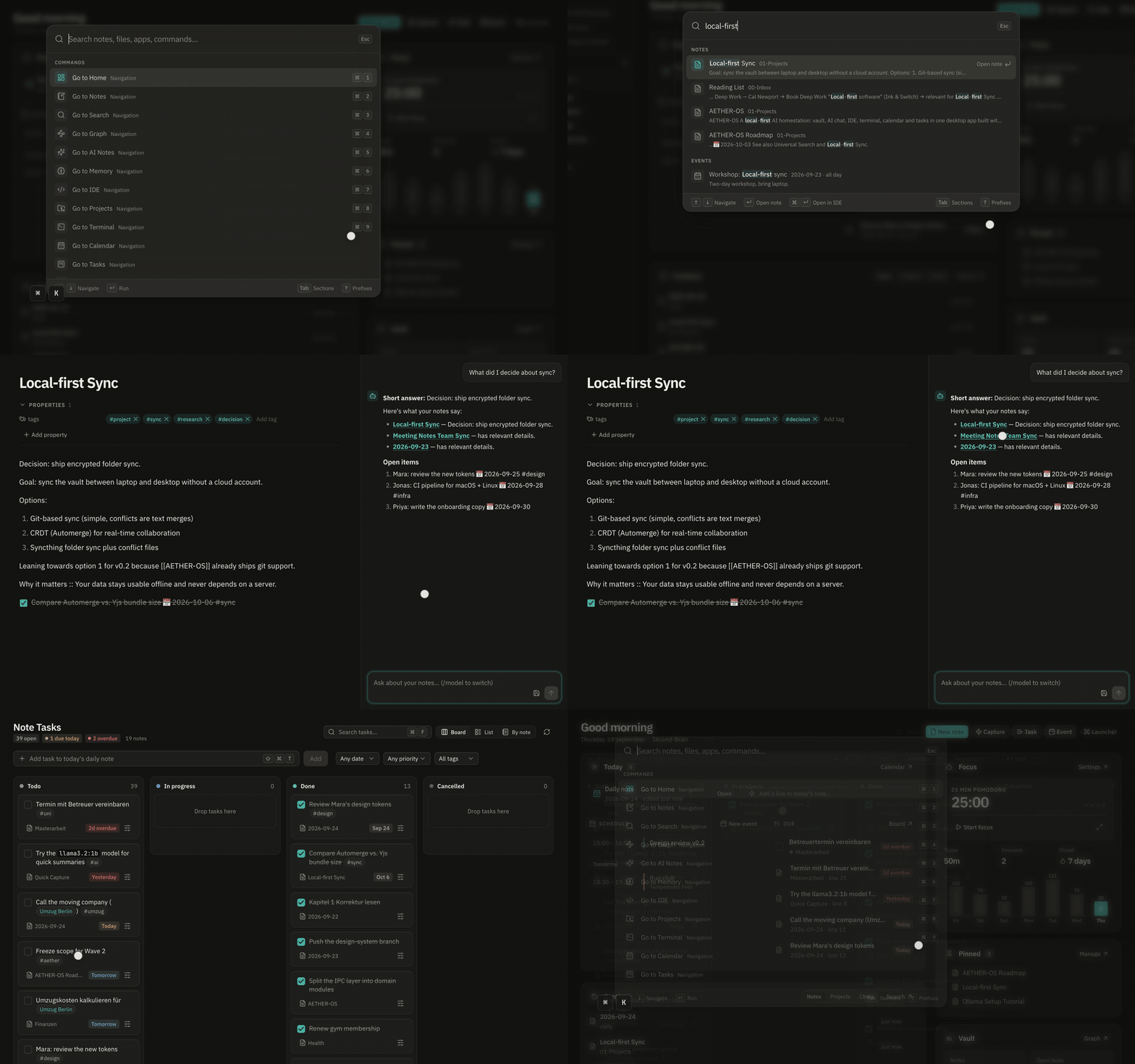
The launcher listing commands and notes for the query 'sync'

Commands, notes, projects, files, apps, events, tasks, memory, chats, bookmarks and clipboard items in one list. Prefixes narrow it: > commands, # tags, / files, @ memory. ⌥Space opens it from anywhere.

All nineteen, grouped like the navigation rail

⌘1–9 jump to the first nine; every one is also “Go to …” in the launcher.

Knowledge 8

  • HomeToday, continue, pins, focus⌘1
  • NotesTabbed Markdown editor⌘2
  • SearchKeyword, fuzzy and semantic⌘3
  • GraphEvery wikilink, mapped⌘4
  • AI NotesAnswers you kept⌘5
  • MemoryFacts the agent knows⌘6
  • HistoryEvery version, restorable⇧⌘H
  • ExportHTML, PDF, site, bundle

Build 3

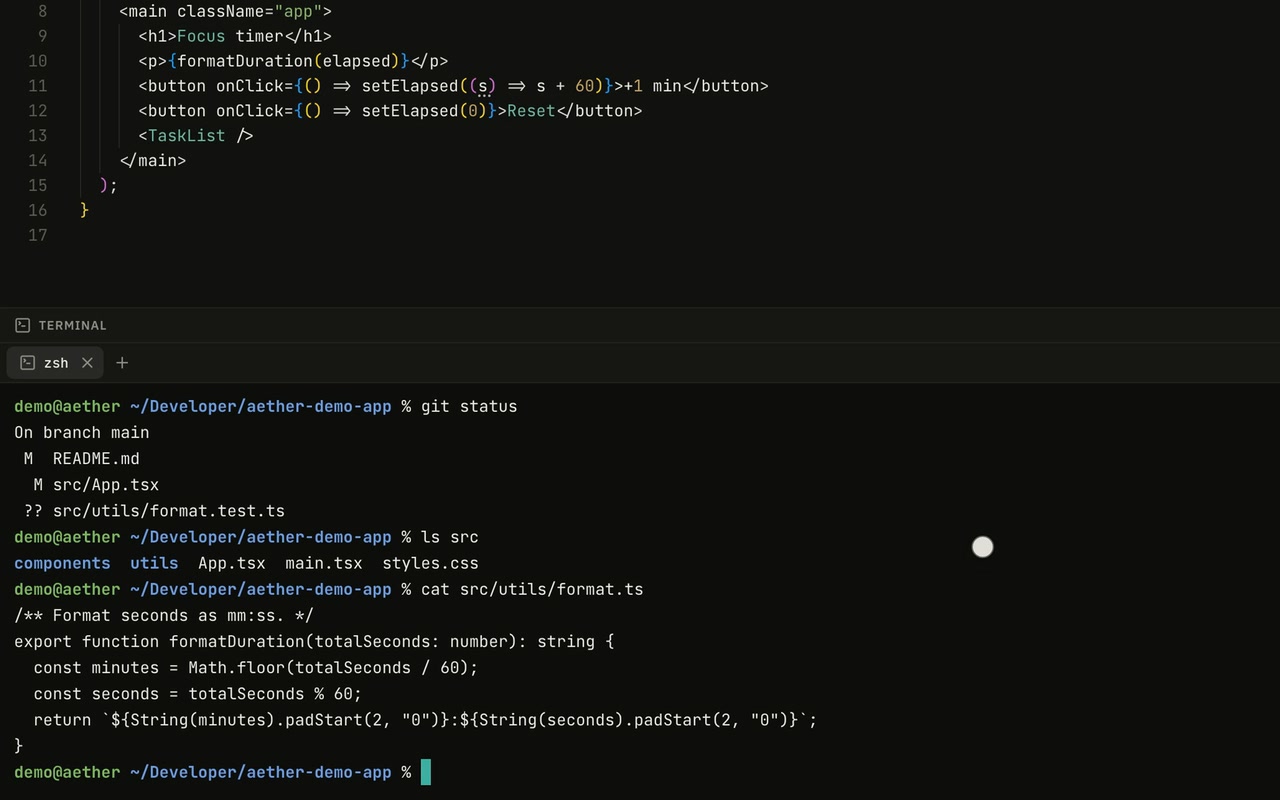
  • IDEMonaco, Git, LSP⌘7
  • ProjectsEvery repo, live status⌘8
  • TerminalMulti-tab PTY shell⌘9

Life 3

  • CalendarMonth, week, day, ICS
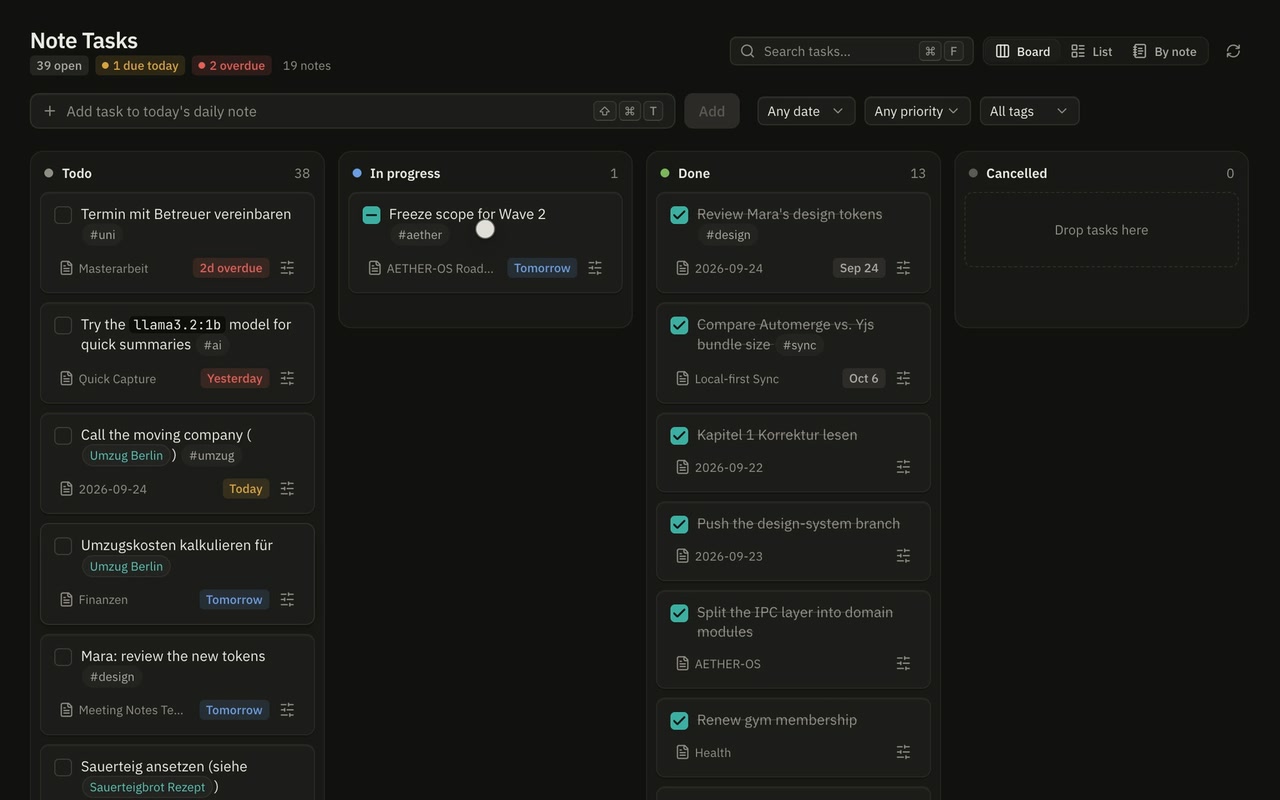
  • TasksKanban and list boards
  • Note TasksCheckboxes from notes⌥⌘C

System 5

  • MonitorCPU, memory, disks, network
  • BrowserEmbedded webviews, bookmarks
  • ClipboardSearchable history⇧⌘V
  • PluginsSandboxed, permissioned
  • Sync & BackupEnd-to-end encrypted

Local-first

Your notes are files. Your computer is the server.

The vault is a folder of plain Markdown you choose — Obsidian opens the same files. Every save becomes a version in a normal Git repository inside it. Everything else stays in the app's data folder on this machine.

Your notes
the folder you choose — plain .md
Every version
<vault>/.git — diff and restore any save
Deleted notes
<vault>/.trash/ — moved, never erased
Memory, chats, calendar, tasks, clipboard, index
the app data folder — on this machine
OpenRouter key
the app data folder — never the webview or the vault

Keyboard-first

Two keystrokes to anything.

Every primary action is a command with a shortcut, so it shows up in the launcher, the shortcuts overlay and Settings → Shortcuts — searchable, and exportable as a Markdown cheat sheet.

Try it on this page: ⌘K opens a launcher for this site, ⇧⌘L switches the theme.

  • ⌘KLauncher and command palette
  • ⌥SpaceLauncher from anywhere, system-wide
  • ⌘PGo to file
  • ⌘JAI agent panel
  • ⇧⌘NQuick capture to today's daily note
  • ⇧⌘CClip a web page as Markdown
  • ⇧⌘VClipboard history
  • ⇧⌘HEvery version of this note
  • ⇧⌘RRelated notes and tags
  • ⇧⌘FFocus mode
  • ⌥⌘TStart or pause the Pomodoro
  • ⇧⌘LLight or dark theme
  • ⌘/Every shortcut, in one overlay
  • ⌘1–9Jump to one of the first nine workspaces
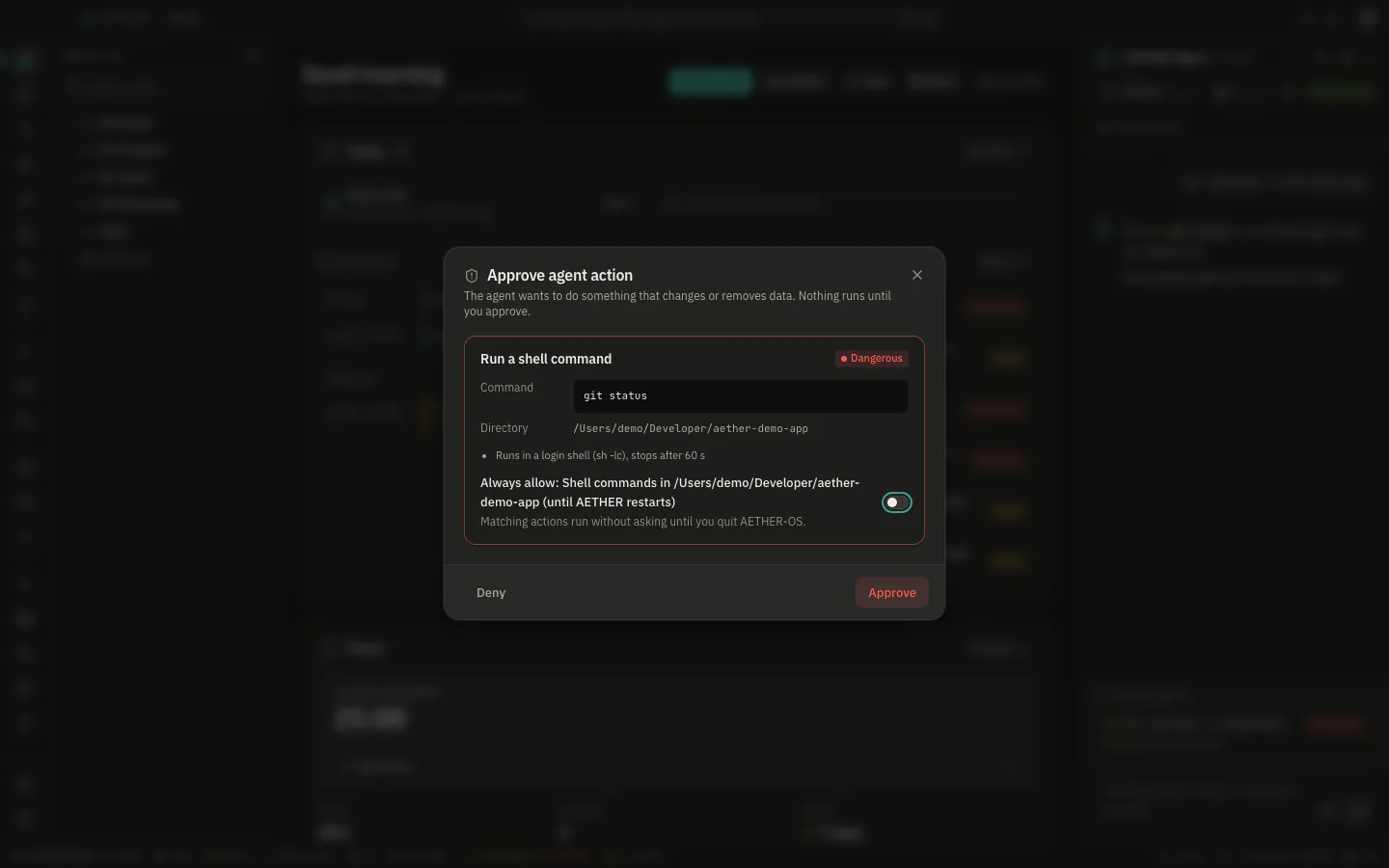
The approval dialog for an agent action, with a preview and warnings
A shell command waits in the approval dialog, with the resolved command, its folder and a warning.

AI agent

Knows your notes. Asks before it acts.

Answers stream in, grounded in all notes, a subset you pick, or the open note and its related ones, plus the facts you asked it to remember. It runs on Ollama on your machine by default; add an OpenRouter key for Claude, GPT, Gemini, Qwen or Llama.

  1. Runs right away Create and append notes, write to the daily note, remember facts, save answers, open and clip URLs, create events and tasks.
  2. Asks first Move notes, commit in a project, tick a note task, update events.
  3. Asks first, flagged Run a shell command, delete a note, delete an event.

Every executed or denied action goes to a local audit log. Deleted notes land in .trash/. Long chats are compacted into a summary instead of overflowing the model.

Plugins

Extensible, on a short leash.

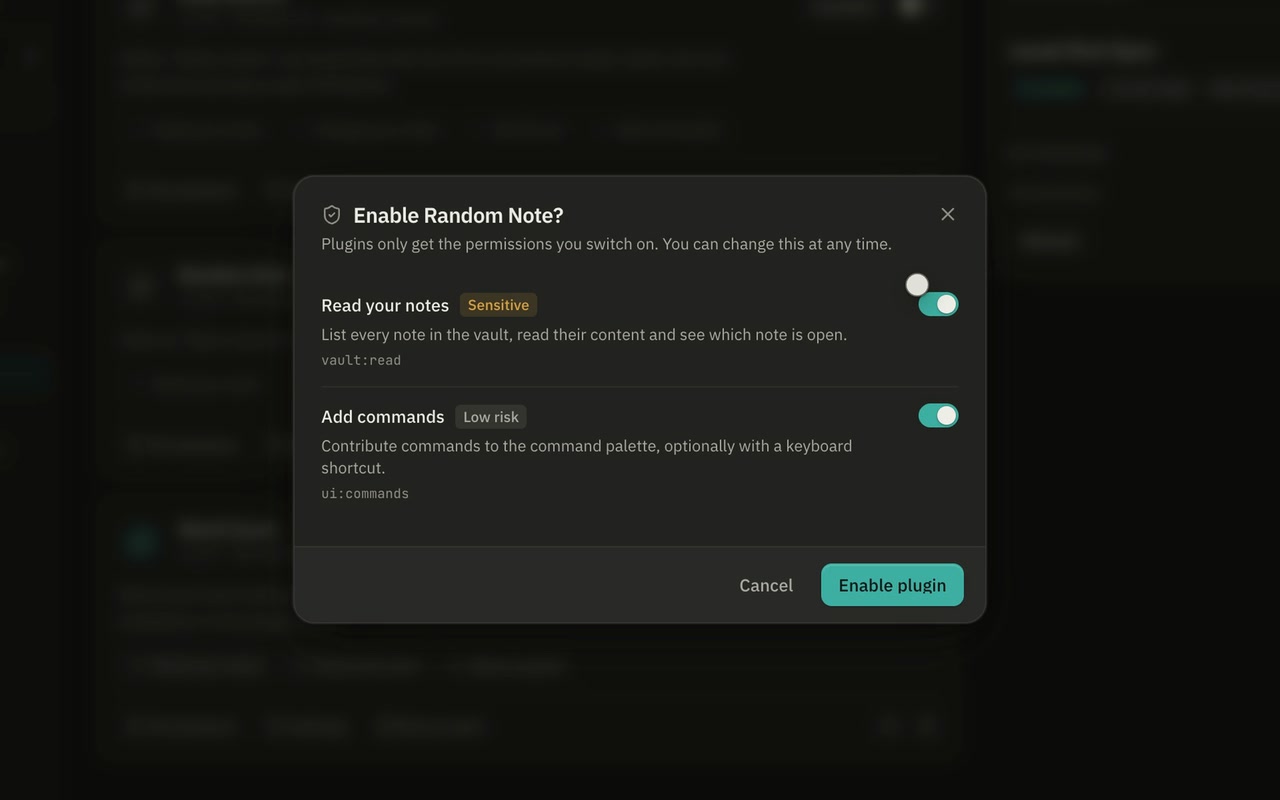
A plugin is a folder with a manifest.json and one ES module. It runs in its own Web Worker — no DOM, no network or storage of its own — and gets only the permissions it asks for and you grant, checked in the app and again in Rust.

{
  "id": "com.example.hello",
  "name": "Hello",
  "version": "1.0.0",
  "main": "main.js",
  "permissions": [
    "vault:read",
    "ui:commands"
  ]
}

Word Count, Daily Review and Random Note ship as examples. Plugin API

Sync & backup

Sync without a server. Encrypted before it leaves.

Point every device at a folder you already sync — iCloud Drive, Dropbox, Syncthing, a NAS, a USB stick. AETHER-OS writes only encrypted, content-addressed blobs there, so the sync tool never sees a file name or a word of your notes.

  • Argon2id key derivation
  • AES-256-GCM per object
  • keyed BLAKE3 names

No account and no relay. Concurrent edits become conflict copies you resolve side by side; backups are encrypted, verifiable .aetherbak archives. There is no passphrase reset — and no mobile app yet.

Under the hood

Built to be checked.

Counted in the v0.2.0 source. Rust for everything privileged, React and TypeScript for the interface.

workspaces in four groups
19
backend commands, each with a mock for the browser preview
237
Rust tests, including crypto test vectors
693
frontend tests across 153 files
1,435

Your notes stay yours, even if you leave.

They are plain Markdown in a folder you choose. Install AETHER-OS, point it at that folder, and every note is still a file you can open anywhere, with or without it.

Download AETHER-OS

macOS 12+, Windows 10+ and Linux.

The builds are not notarized or signed with a paid certificate yet, so the first launch takes one extra click. Here is how.

Site launcher

Esc